


It’s no secret that ChatGPT intends to be a major player in the search landscape. The latest indication: OpenAI announced Businesses in ChatGPT in beta this week.
With Businesses in ChatGPT, you can claim and manage a business profile within the platform—giving you control over the way your listing shows up in results and providing insights into how users are engaging with you.
(It’s essentially OpenAI’s answer to Google Business Profiles.)
We bet you’ve got questions: What does this mean for businesses? Should you jump right in? How can you get started? We’ve got you covered.
Contents
- What is Businesses in ChatGPT?
- Should you claim your business in ChatGPT?
- How to claim your business profile in ChatGPT
What is Businesses in ChatGPT?
Businesses in ChatGPT allows businesses to claim a profile within the platform. Businesses can use the Business Hub to manage their information, see how users are interacting with them on ChatGPT, and, once verified, get access to insights and tools like agents.
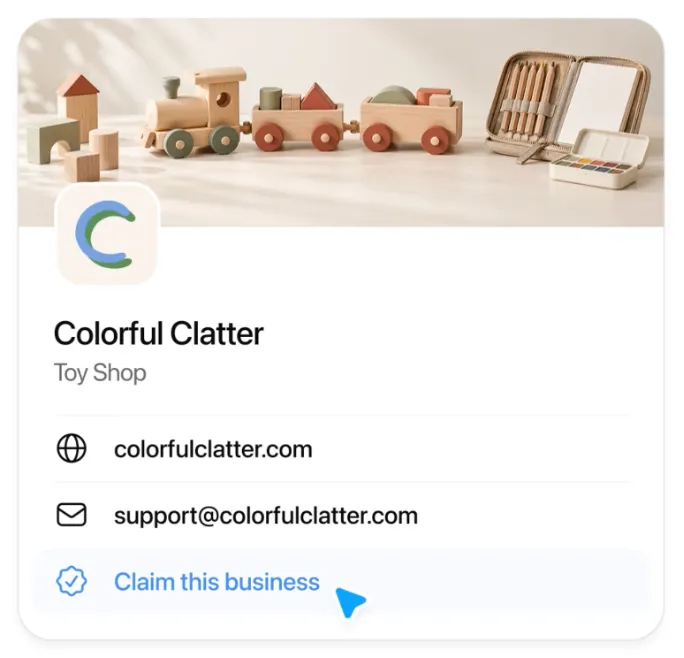
“This new feature 100% confirms what we’ve been saying: How your business shows up across the web matters more than ever these days, especially since AI assistants help customers decide who to call, where to buy, or who to visit,” said Dennis Wilson, Vice President of Product Management at LocaliQ.
Within Business Hub, you can manage all the relevant information about your business, including your:
- Business name
- Description
- Contact information
- Hours of operation
- Products
Through the Business Hub, you can also create an agent that answers questions for users based on information you provide. (This feature is currently only available for US ecommerce and online service businesses.)
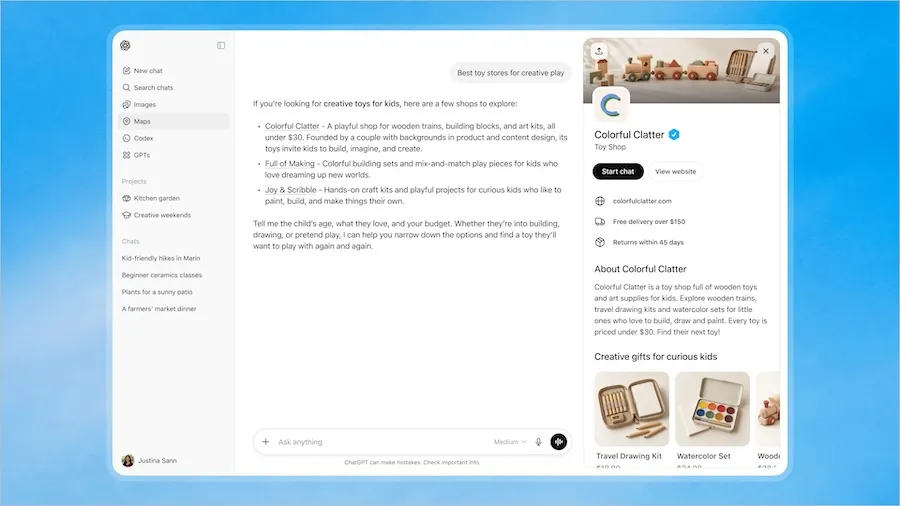
Business Hub also provides analytics, like mentions, profile views, and website clicks, along with the topics that led people to discover your business.
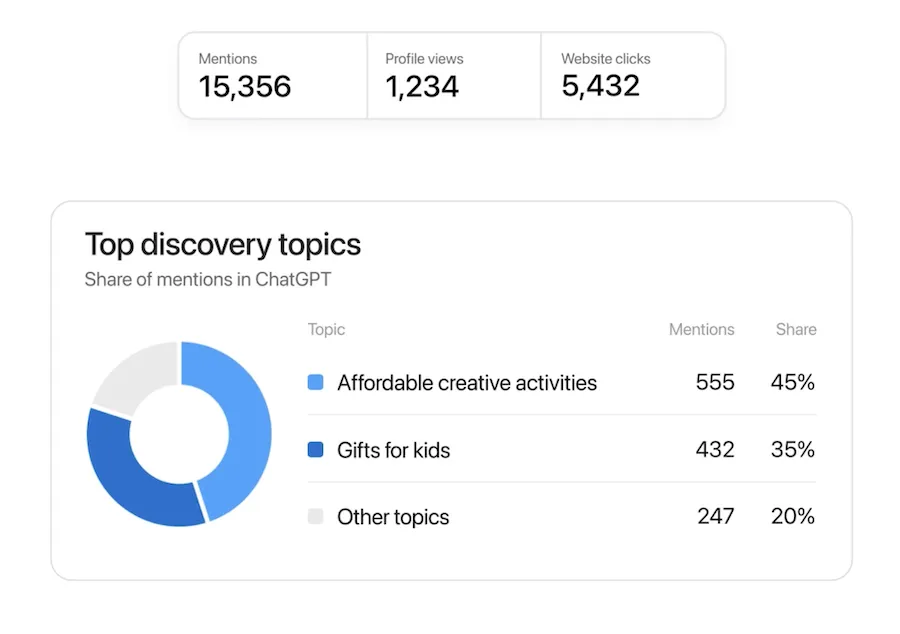
This piece is what I find the most interesting and potentially useful. It’s been difficult to track ChatGPT visibility and cobble together the way searchers are finding you there across various non-ChatGPT sources—so this insight directly from the horse’s mouth could help inform business description updates or additions for your business agent (or even your website content).
(Note: Businesses in ChatGPT is not to be confused with ChatGPT Business, which gives companies a shared workspace for teams to use the tool and its features.)
👀 Looking for more ways to drive people to your site? Free guide: 25 Ways to Increase Traffic to Your Website >>
Should you claim your business in ChatGPT?
This is a brand new feature, so it’s hard to gauge the potential upsides (or downsides) to claiming your business in ChatGPT.
If Businesses in ChatGPT works like Google Business Profiles, then it’s probably worth claiming and managing your listing here.
This could be especially useful for local businesses. When potential customers search for businesses like yours in ChatGPT, you want to make sure your information, like your website, phone number, address, and hours of operation, is accurate and up to date.
Claiming and managing your business gives you a clear opportunity to own this information on the platform more and more people are relying on (just last week, OpenAI’s Adam Fry shared they hit 20% of Google’s search volume). And the analytics and insights could prove helpful when it comes to engaging with users on ChatGPT and optimizing your content for AI search here.
However, we don’t think claiming your business is going to be a magical fix for boosting your visibility on the platform.
“It’s worth noting that OpenAI says claiming doesn’t guarantee better placement,” Dennis said.
As for downsides? Well, it’s just one more place to manage your business and remember to update. As far as downsides go, you could do worse.
🛠️ Get everything you need to know about showing up in AI search in our free guide: The AI Search Toolkit >>
How to claim your Businesses in ChatGPT listing
Here are the steps to claim your business listing in ChatGPT.
1. Navigate to the ChatGPT Business Hub, and search for your business and select the listing (or create new).
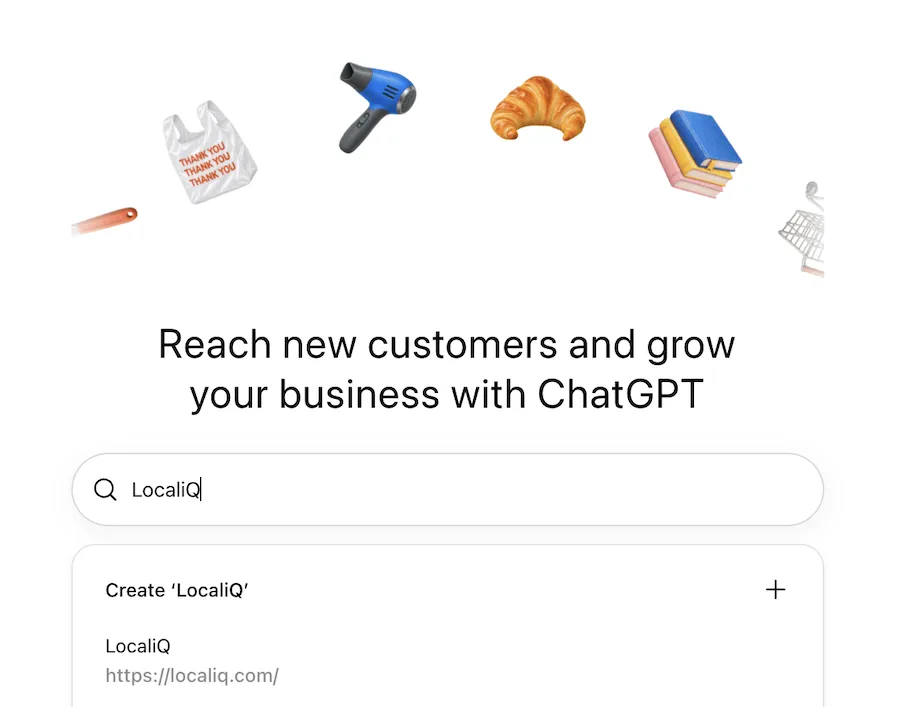
If you opt to create a new listing, you may be prompted to join a waitlist.
2. Click Get started.
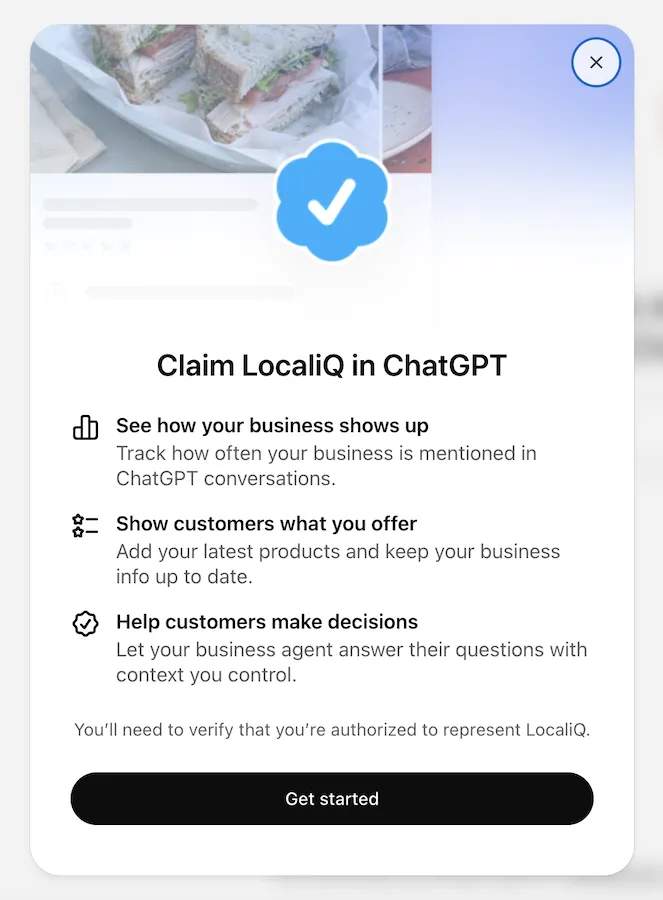
3. Connect your ChatGPT account and click Continue.
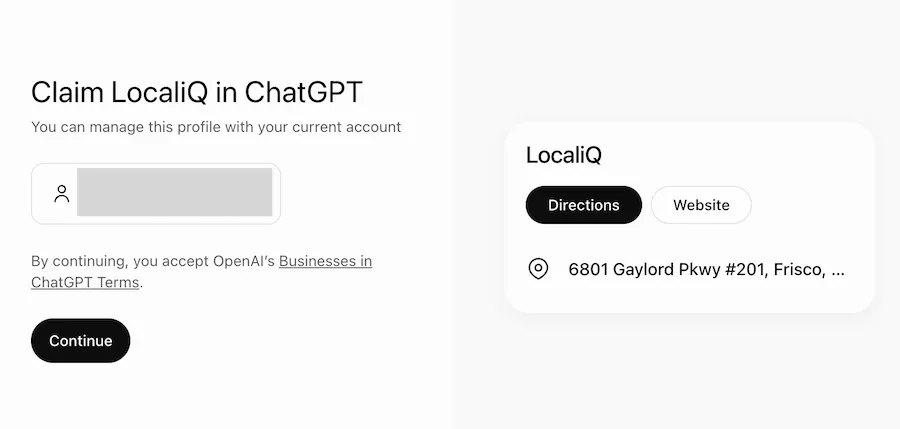
4. Choose how to verify your business.
Right now, your options for verification are through your business phone number, email, Shopify store, or website domain. (Follow these verification steps if you select the website domain option.) You may need to wait for claim approval depending on how you verify your business.
5. Choose your business category and add a business description.
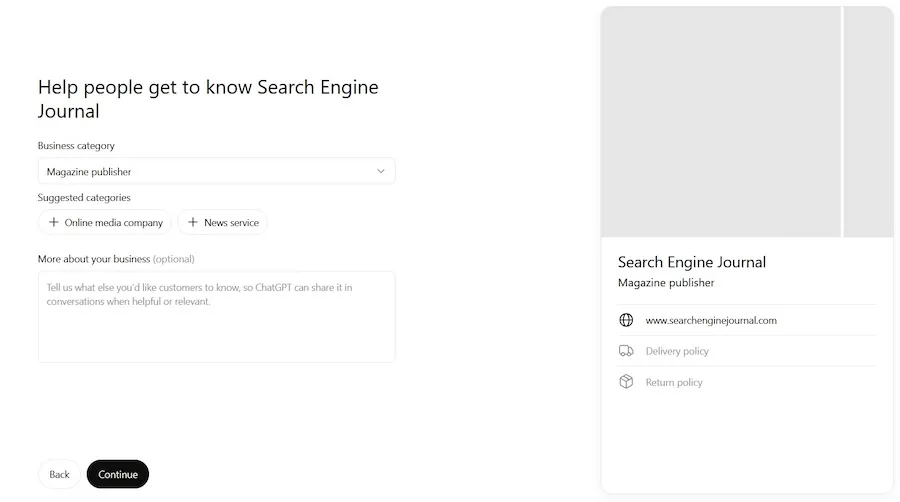
There’s a dropdown for you to choose from, and ChatGPT will suggest categories as well.
6. Fill in the rest of your profile details and review your business draft.
This includes your contact information. Search Engine Journal also reports they were prompted to include delivery and return information here (despite choosing publishing as their business category).
Once your profile is filled out, it’s still not published, so you can review your details.
7. Verify your identity.
To complete your listing and publish changes, you have to complete verification with something ChatGPT calls Persona. To do this, you’ll need your government-issued ID, business registration information, and proof that you’re an authorized representative of the business. One business also reportedly needed its tax ID.
8. Submit your profile.
Once your Persona is verified, you can submit your profile, get access to insights, create an Agent (if applicable for your business type), and connect your product feed. You can get more details on how to do that here.
What’s next for Businesses in ChatGPT?
As ChatGPT vies for search engine market share, we’re sure this isn’t the last we’ll hear from OpenAI about new tools and features they’re offering to make the platform stickier for businesses. But for now, it’s probably worth claiming your business here if you want to make sure you’re showing the most up-to-date information to some of the 1.2 billion people using ChatGPT each week.
As for our team? “We’re digging into the beta to help our clients understand the impact and show up accurately in AI results and every listing placement. It’s what we do!” Dennis said.
To learn more about what we do, reach out to learn more.

Recommended for you





Unlock your business potential
We offer innovative technology and unparalleled expertise to move your business forward.