


Every business has a handful of questions they answer over and over. What are your hours? Do you take walk-ins? Do you provide service in my area?
An FAQ (frequently asked questions) page gives your customers a super convenient place to find answers to all of those questions.
And it does a lot more than that now.
A properly structured and optimized FAQ page provides clear information to AI search platforms so they know what you do, how and where you do it, and who you do it for. With your FAQ page in order, you’ll have a better chance of showing up in AI recommendations.
In this guide, we’re featuring 15 FAQ page examples worth learning from. Then we’ll share a few steps to help you build your own.
Contents
15 fantastic FAQ page examples
We picked these FAQ examples because they each have ideas you can borrow. Most come from local and multi-location businesses, and each one does at least one thing you could copy on your own FAQ page this week.
🛑 Want more ways to get found on AI tools? Download The Complete AI Search Toolkit: Practical Strategies to Get Found by AI
European Wax Center
First-time waxing comes with questions people feel awkward asking out loud (Does it hurt? Can I wax while pregnant?). European Wax Center’s FAQ page answers them directly.
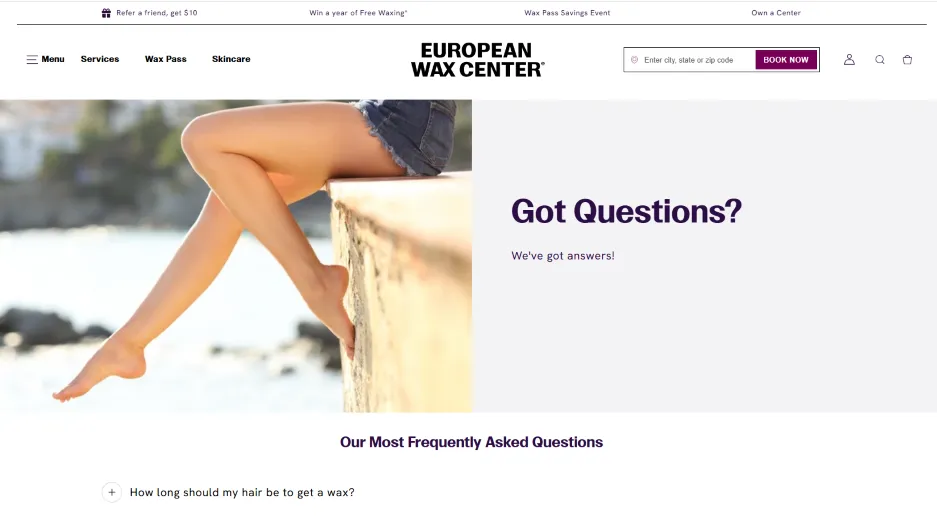
Each answer is short, kind, and specific. The policy section is just as direct, spelling out that arriving more than nine minutes late counts as a no-show.
Notice also that these are questions a potential client may search on Google. The answers here will help make this website a trusted source when they do.
Borrow this: Answer the questions customers are too embarrassed to call about.
Great Clips
Great Clips’ FAQ page packs a lot of questions into one page without feeling crowded. A jump-to-section menu and an “Expand all” button let visitors skip straight to online check-in, coupons, or gift cards.
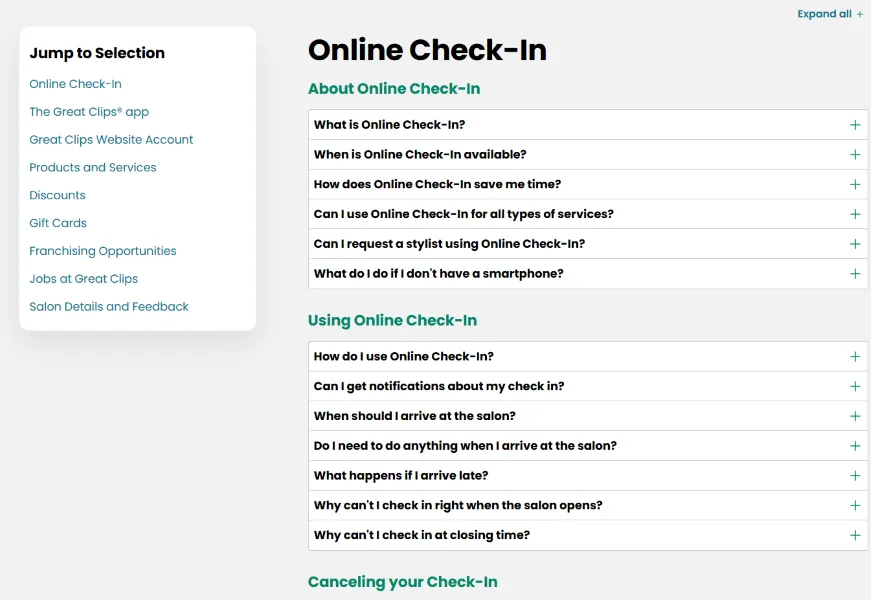
This is the most complete FAQ in the list. It even has sections for job applicants and franchise opportunities.
Since each location is independently owned, it also flags which answers depend on your local salon, like pricing and student discounts.
Borrow this: Be upfront about what varies by location.
Studs
Studs’ help center opens with a big search bar and six topics to browse, from appointments to shipping. Right next to the topics sits a short list of commonly asked questions, the ones people want answered before they book, like “Do you pierce with needles or guns?” and “Can minors get pierced?”
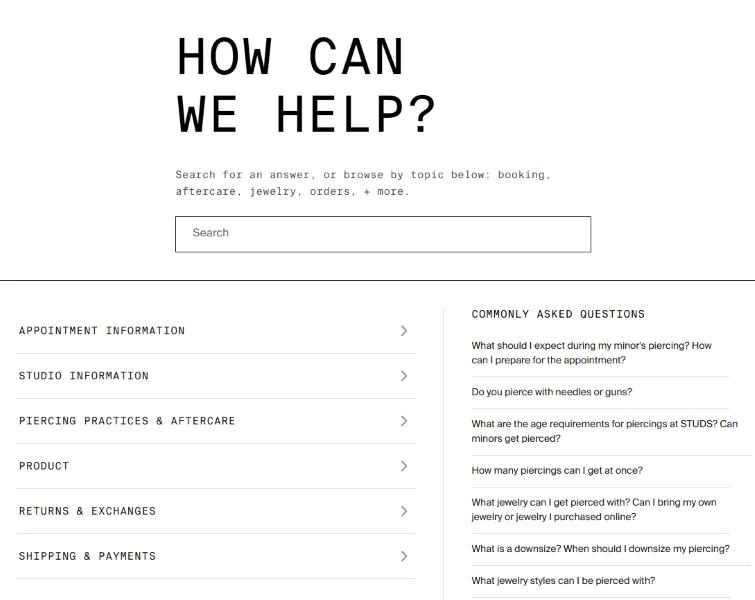
Visitors with one quick question can click straight to the answer and skip the browsing.
Borrow this: Pair your full topic list with a shortlist of your most-asked questions.
TruGreen
TruGreen’s FAQ page is organized around the customer’s timeline, with sections for Before My Service, After My Service, and Billing. That matches how people actually think about lawn care.
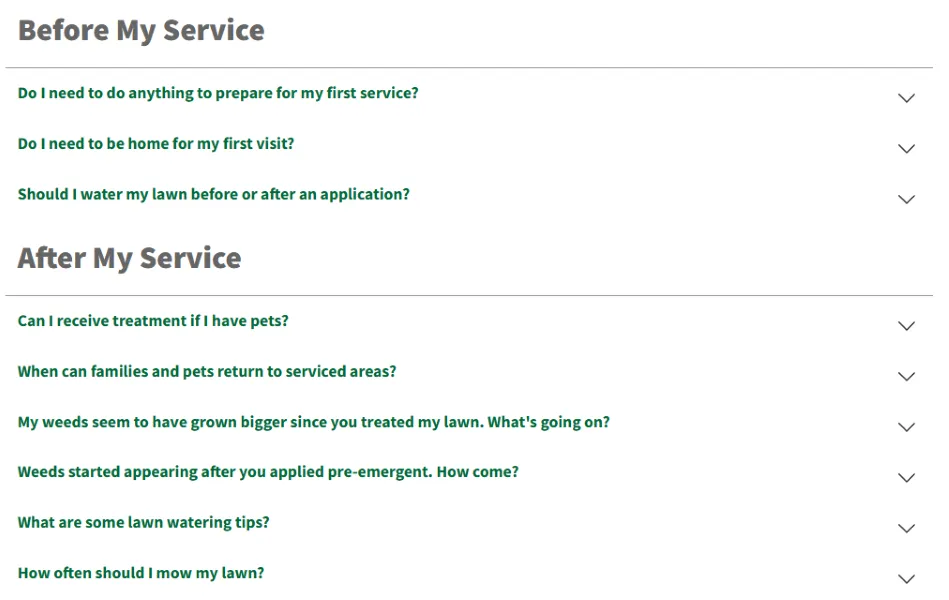
It also tackles complaints before they turn into phone calls, like why weeds look bigger after a treatment, why brown spots show up, and why a bill doesn’t match the plan someone signed up for.
Borrow this: Group your questions by where the customer is in the process.
Aspen Dental
Money questions make people nervous, and Aspen Dental’s FAQ page meets them head-on. The billing section covers disputed charges, declined cards, and what to do if you can’t pay in full.
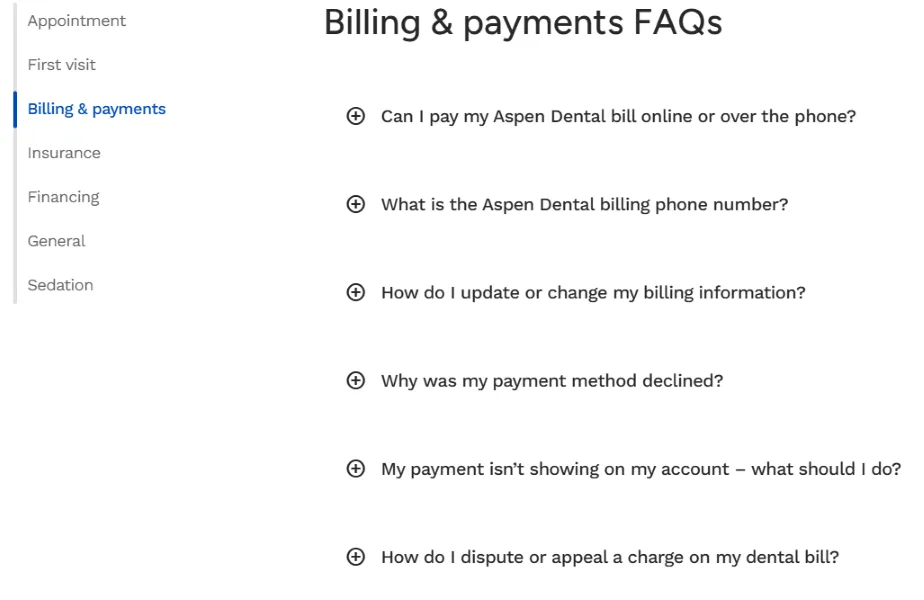
Short answers deliver clear facts. Aspen doesn’t charge no-show fees, and it doesn’t accept Medicaid, for example. Questions about dental emergencies point patients to their local office or to 911.
Borrow this: Address money questions head-on so they’re not uncomfortable conversations later.
The Goddard School
Parents choosing childcare have big worries. The Goddard School’s FAQ page leads with health and safety, one of the biggest concerns.
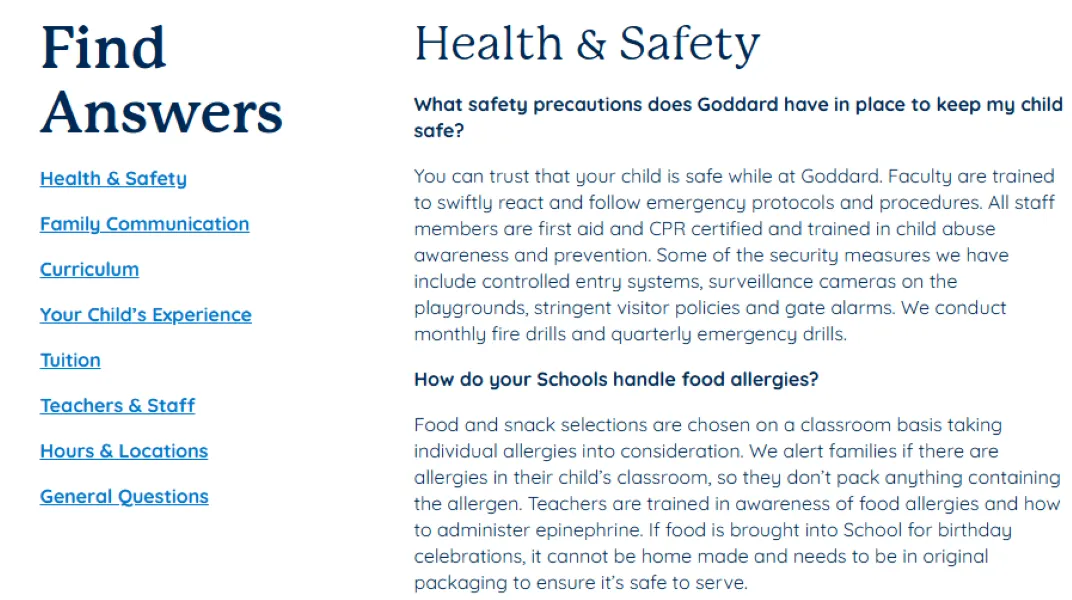
Jump links at the top let families go straight to tuition, hours, or teacher qualifications, with a “Back to top” link after every section. Because each school is franchise-owned, questions about rates and meals point parents to their local school.
Borrow this: Put the questions that concern customers the most at the top.
🔎 Is your online presence the best it can be? Find out in a flash with our Free Website Grader >>
CarMax
CarMax’s help center works more like a home page, directing you to what you need, than a list. Topic links for finding, financing, buying, and selling a car lead to individual question pages. Giving each question its own page helps search engines and AI tools match a specific question to a specific answer.
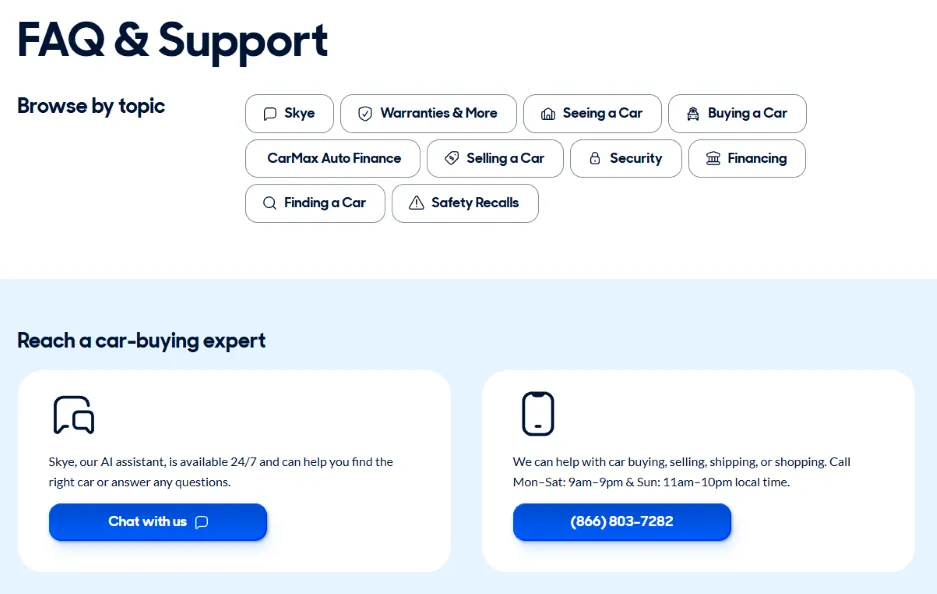
There’s also a highly visible phone number and a handy AI assistant to answer questions 24/7.
Borrow this: Consider giving big questions their own page for AI visibility.
Two Men and a Truck
Two Men and a Truck also gives each FAQ its own page. One tackles the topic of insurance, something that trips up a lot of customers.
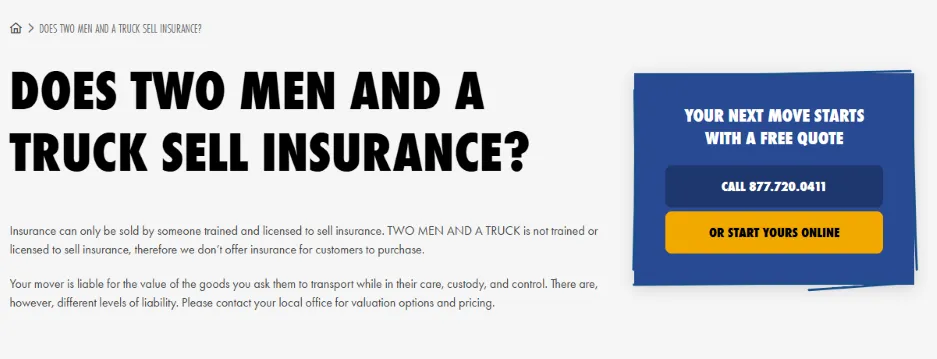
The answer to whether the business sells insurance is no, because it isn’t licensed to. But it doesn’t stop there. It explains that your mover is still liable for your belongings, with different coverage levels available. That’ll help assuage a common anxiety in a way the visitor may not have thought to ask about.
Borrow this: Try to think about the real intent behind customer questions and provide answers for it.
Chick-fil-A
Chick-fil-A’s customer support pages keep each answer tight and focused on one question, like what catering options you can order.
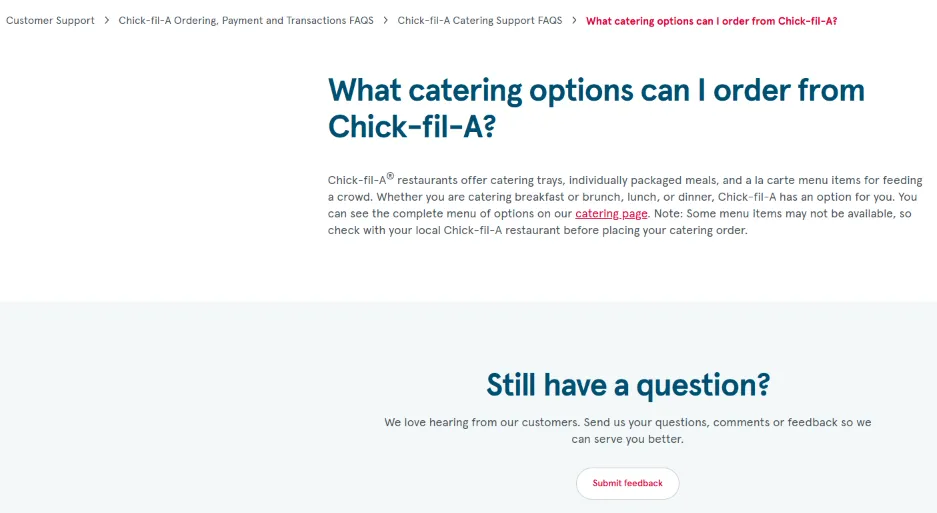
Breadcrumbs across the top make it easy to navigate back to the FAQs. And every page ends with a “Still have a question?” blurb and a Submit feedback button.
Borrow this: Give visitors a clear way to go back, get additional information, or contact you so the engagement doesn’t end prematurely.
Molly Maid
“What’s included?” is the top question for almost any service business. Molly Maid’s FAQ section gives it a dedicated page, broken down room by room.
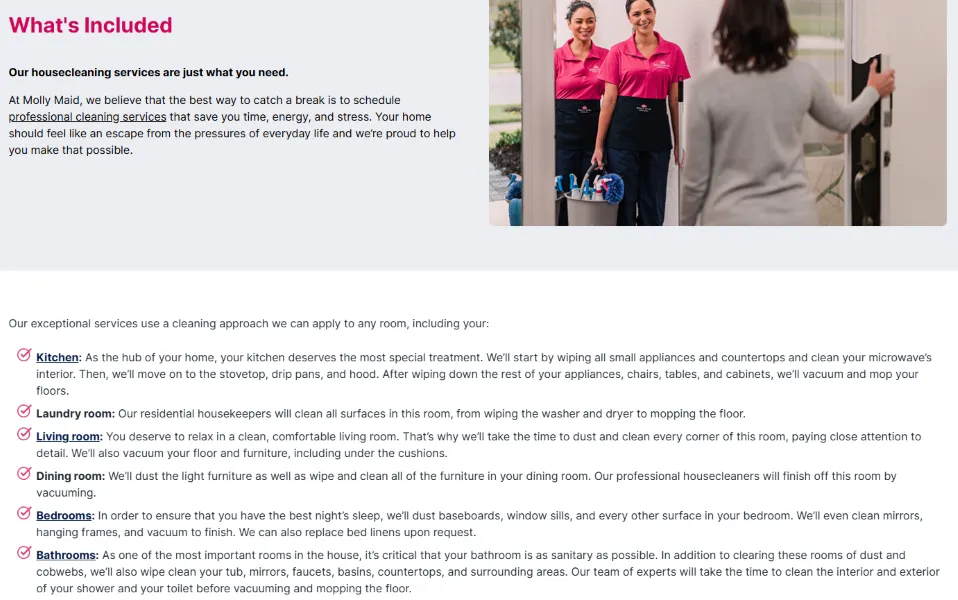
Customers can picture exactly what they’re paying for, and the “Request a Free Quote” button sits right there when they’re ready.
Borrow this: If your service is hard to picture, describe it in specifics.
Banfield Pet Hospital
Banfield’s wellness plans confuse a lot of pet owners, so Banfield’s plan FAQ page gives them their own space. The section headers are friendly and plain, including one called “Totally not pet insurance.”
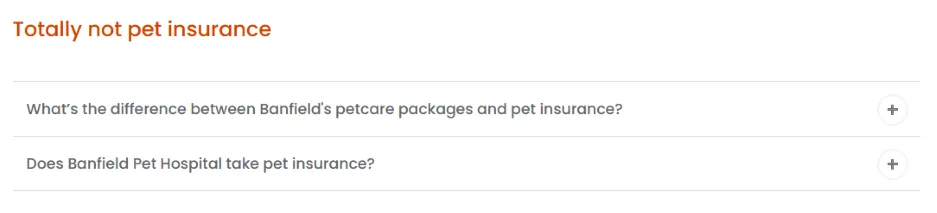
That section uses side-by-side bullet lists so readers can compare the plans with pet insurance at a glance.
Borrow this: If one product drives most of your questions, give it its own FAQ page.
Orangetheory Fitness
Orangetheory’s FAQ page speaks straight to nervous beginners. Its early questions are the ones newcomers worry about. For example, it answers: “I haven’t worked out in a long time, can I still do this?” and “What if I have an injury?”
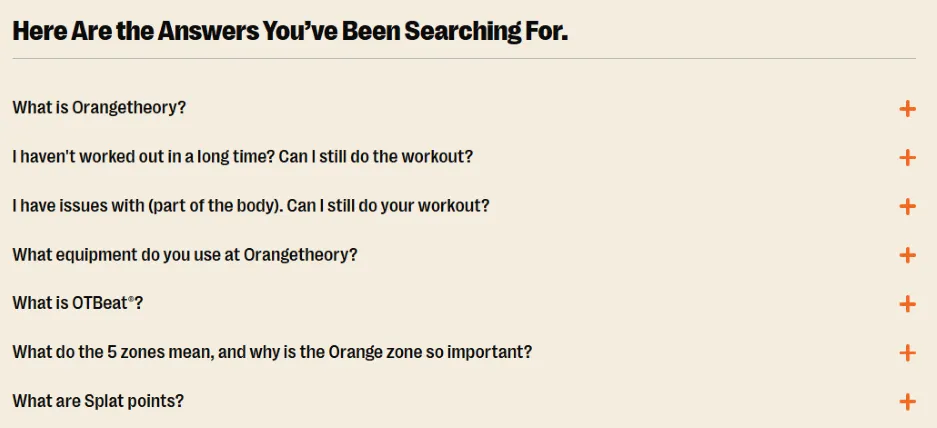
Then it explains the brand’s own lingo, like OTbeat (its heart rate monitor) and Splat Points (minutes spent in the top heart rate zones).
Borrow this: Use your FAQ page to make your business and its lingo more approachable.
Warby Parker (local store pages)
Warby Parker puts a mini FAQ on every store page. The Washington St. store page in New York City covers what to bring, whether the store takes vision insurance, and how returns work.
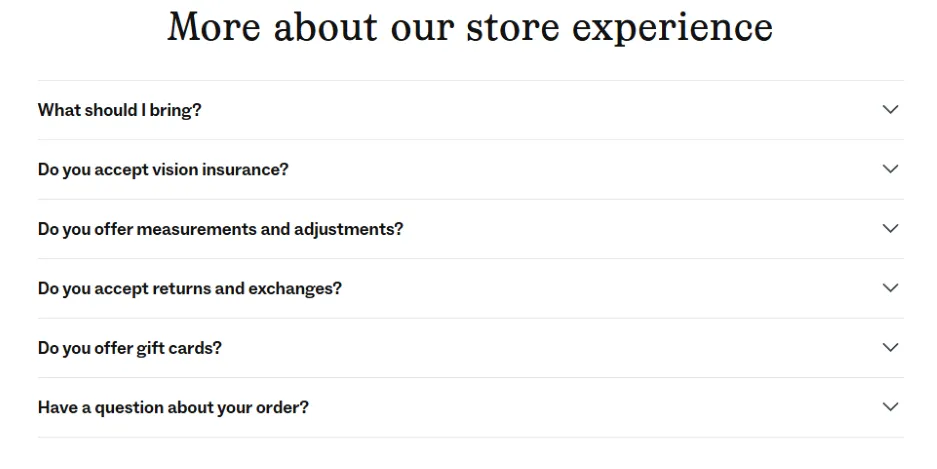
One answer jokes that all you need to try on frames is your eyeballs. The same page lists the nearest subway lines and parking options. All of that can help boost local SEO.
Borrow this: If you have more than one location, add local FAQs to every location page.
Mr. Rooter Plumbing
Plumbing problems are often urgent. The accordion questions on Mr. Rooter’s FAQ page cover things that stressed-out homeowners ask, like “What are the signs of a clogged residential sewer line?”
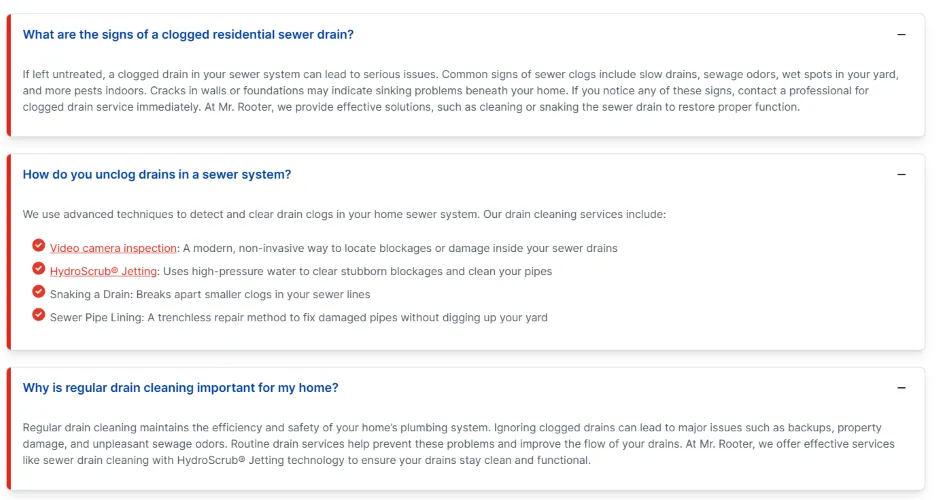
Several of the questions also include the business name. That helps the page match local searches like “Does Mr. Rooter offer financing?” Combined, this FAQ is very AI search-friendly.
Borrow this: Write your questions the way customers search for them so they’re more likely to be picked up in search answers.
Zingerman’s
Zingerman’s grew from one Ann Arbor deli into a family of local food businesses. Its brand has lots of personality on display throughout its website. The FAQ page continues the theme. It opens with the question every first-timer wonders like “Who is Mr. Zingerman?” (Spoiler: there isn’t one.)
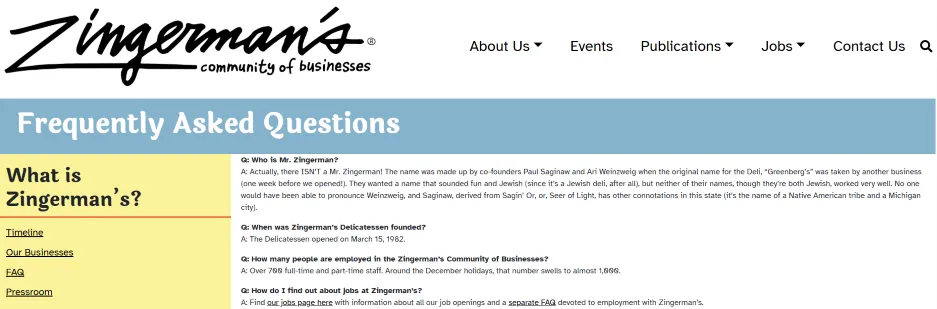
While each question is answered directly, it feels like you’re speaking with a person and not a corporate copywriter.
Borrow this: Make your FAQ page sound like your brand.
Steps to create your own FAQ page
The great thing about FAQ pages is that you don’t need a big budget or web developer to build a solid one. You just need the right questions, clear answers, and a little structure. Here’s how to put yours together.
Start with the questions you already hear
The best questions for your FAQ page are the ones that get asked every day. To find them:
- Ask your customer-facing team: Whoever answers the phone, greets customers, or replies to emails knows the top 10 questions by heart.
- Read your inbox and reviews: Repeated questions and complaints are great FAQ material.
- Check what people search: Google’s “People also ask” box shows common questions related to your business. Type your service and city into Google to find them. Or ask your AI platform of choice what customers usually want to know about businesses like yours.
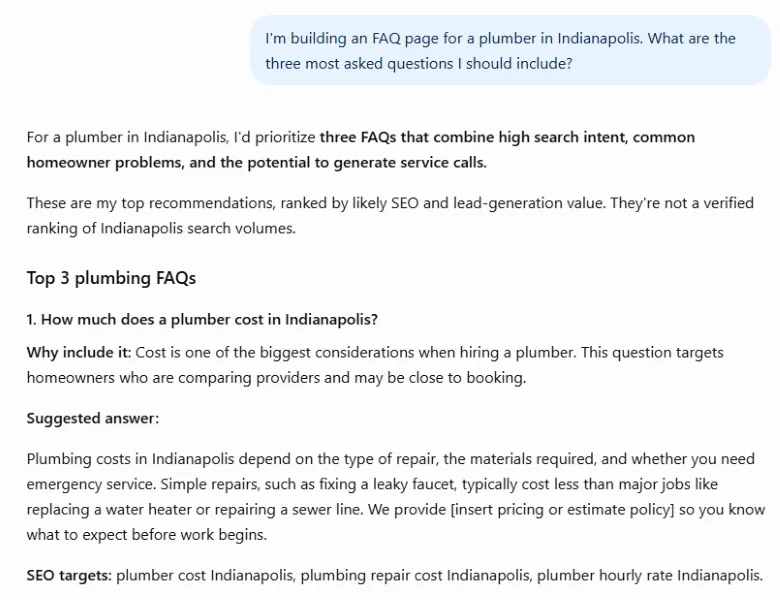
Ask AI to help you find the best questions for your FAQ page.
Put the answer in the first sentence
Customers need quick solutions. ChatGPT and AI Overviews look for clear, direct answers they can pull into a response.
Lead with the answer, then add the details. “Yes, we take walk-ins, but appointments get priority” should be first. Then you can explain your scheduling philosophy.
Most answers only need two to four sentences. If an answer needs more, write a short version and link to a full page, like CarMax and Chick-fil-A do.
Organize your FAQ for scanning
Your customers won’t wade through giant blocks of copy. Make it easy to find the answer fast by:
- Putting the most-asked question first: Hours, pricing, and booking are potential choices. Ask your team for their input.
- Group longer lists into categories: Think “Before you visit,” “Pricing and payment,” and “Policies” for a start.
- Add jump links or a search bar: If you have more than 10 questions, add a device to help visitors find what they need.
- Use expandable answers carefully: They keep the page manageable, but if the answer text is not on the page itself (it loads after someone clicks), AI search tools won’t be able to read it.
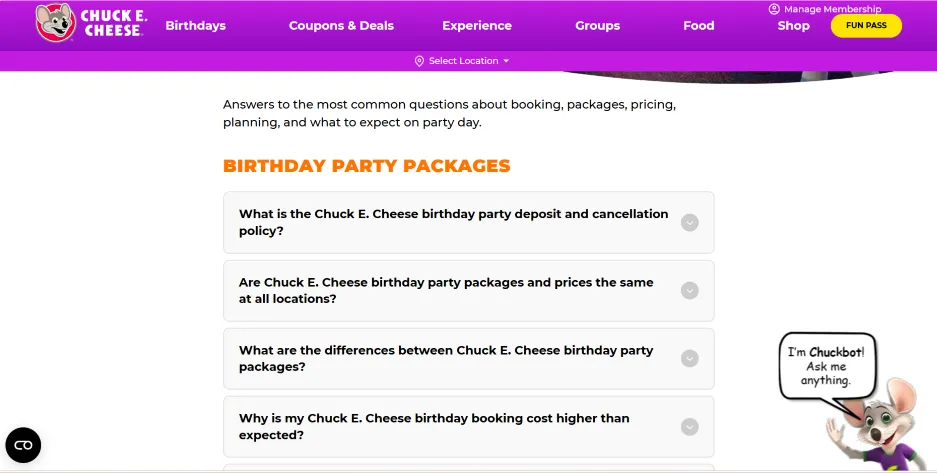
Even with more than 60 questions, this FAQ page is easy to scan.
Make it easy to find and keep it fresh
People are on the hunt for fast solutions. Your FAQ page should be easy to find so they don’t head to the next option for answers.
Here are some ways to make sure your page is easy to find, no matter where people come from:
- Link it in your footer and main menu since that’s where visitors often look for it.
- Include a link to it in follow-up emails and texts, especially for new customers.
- Add relevant FAQs to service and location pages. Warby Parker’s store pages are a great model for multi-location businesses.
- Review your FAQ page every few months to make sure prices, hours, and policies are current.
FAQ page FAQs
Here are quick answers to some of the most common FAQ page questions (yes, we see the irony).
What is an FAQ page?
An FAQ page is a page on your website that answers the questions customers ask most often, like your hours, prices, policies, and what to expect on a first visit. A good FAQ page uses plain language, puts the answer up front, and links to more detailed pages when a question needs a longer explanation.
Why create a FAQ page?
An FAQ page saves your team time, builds trust with new customers, and clears up doubts that might stop someone from buying. It also gives search engines and AI tools clear, direct answers to pull from when people ask questions about your business.
Do FAQ pages still help with SEO and AI visibility?
Yes. Google stopped showing FAQ rich results (the expandable questions under a search listing) on May 7, 2026, but the content on your FAQ page still influences your ranking. Clear questions and direct answers help your page match the way people search, and AI tools like ChatGPT and Google’s AI Overviews look for that kind of content when they build an answer.
Learn from these FAQ page examples
Whenever your team fields a question more than a few times, it becomes a candidate for your FAQ page.
Start small by writing down the 10 questions you hear most. Answer them in one or two sentences. And put them on a page that’s easy to find on your website.
Then, improve your page using the examples in this guide. Add local answers like Warby Parker, optimize your questions for AI and readers like Mr. Rooter Plumbing, and group your questions logically like TruGreen.

Recommended for you







Unlock your business potential
We offer innovative technology and unparalleled expertise to move your business forward.